Desk Work and Your Back: An Ergonomics Check You Can Do Yourself
Five minutes at your own desk can show you where the strain is coming from. Here is how to check.
October 13, 2026 · 4 min read
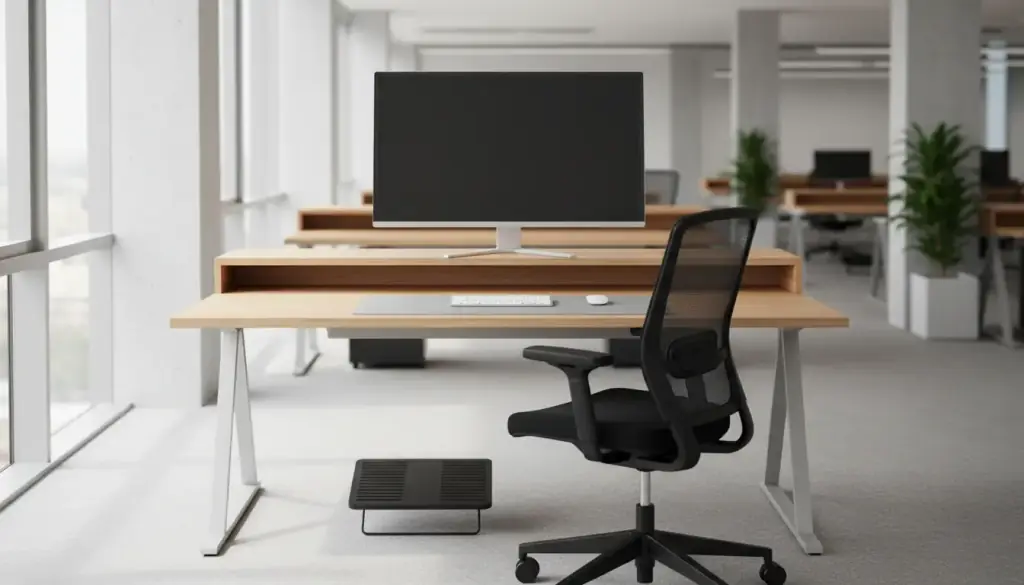
Many of us spend most of the workweek in a chair in front of a screen. Over months and years, small habits at a desk can add up to a stiff neck, tight shoulders and a back that complains by mid-afternoon. The good news is that a lot of desk strain comes from setup, and setup is something you can change yourself.
Dr. Tyler Earnst has supported local businesses with ergonomic evaluations for office workers, and he is available to visit corporate health and wellness fairs to answer questions about chiropractic care. This article walks through the same kind of check you can do alone, with nothing but a chair, a tape measure if you like, and a few minutes.
Start with your screen
Look at where your monitor sits. For most people, the top of the screen should be at or just below eye level, so your eyes look slightly down. If you tilt your head up or crane your neck forward to read, the screen is probably too low or too far away.
A common starting point is about an arm's length between your eyes and the screen. If you find yourself leaning in to read, increase the text size rather than your posture. A laptop on its own is a hard case, because the screen and keyboard are joined. If you work on one all day, a separate keyboard and a stand or a stack of books under the laptop can fix the height problem.
Fit the chair to your body
Sit all the way back. Your feet should rest flat on the floor, or on a footrest if the chair will not go low enough. Your knees should sit about level with your hips, or a little lower. If your thighs press hard on the seat edge, or your feet dangle, the chair needs adjusting.
Your lower back should have some support behind it. Many task chairs have an adjustable lumbar curve. If yours does not, a small rolled towel can do a similar job. The point is to avoid slumping into a rounded shape for hours.
Keyboard, mouse and arms
Let your upper arms hang relaxed at your sides. Your elbows should be bent around a right angle, with your forearms roughly level and your wrists in a straight line with them instead of bent up or down. Keep the mouse close to the keyboard so you are not reaching sideways all day.
If your shoulders creep up toward your ears while you type, that is a clue the desk is too high or the keyboard too far away. Lower the chair or raise the support under your feet and check again.
Run through this list once, fix what you can, and repeat it whenever you change desks, chairs or monitors.
- Screen: top of the display at or just below eye level, about an arm's length away.
- Chair: feet supported, knees about hip level, lower back supported.
- Keyboard: elbows near a right angle, wrists straight, mouse close.
- Head: ears roughly over shoulders, not poking forward toward the screen.
- Light: no glare on the screen that makes you lean or squint.
The best posture is the next posture
Even a perfect setup is not meant to be held all day. The body does better with movement. Many people find it helps to change position every half hour or so: stand to take a call, walk to refill a water bottle, or roll your shoulders and look away from the screen for a moment.
If your job lets you, a desk that adjusts between sitting and standing gives you more options, but standing still all day has its own problems. Mix it up. Short, frequent breaks tend to be easier to keep up than a long workout squeezed in after work.
When the setup is right and it still hurts
Ergonomics will not solve every ache. If you have fixed your setup and still have pain, tingling in your arms or hands, or a headache that keeps coming back, it is worth having someone look at you in person. This article is general information and cannot tell you what is behind your symptoms.
At the clinic, Dr. Earnst can examine your spine and talk about how your work habits might fit in. The office also offers posture and spinal screenings at health fairs, community events and places of employment, which can be a handy first look. And if you have chest pain, trouble breathing or sudden numbness or weakness, call 911 rather than waiting.
If you would like a professional set of eyes on how you sit and move, call (336) 434-4600 or visit 231 Baker Road in High Point. If you manage an office and would like to ask about a wellness fair talk or ergonomic evaluations for your staff, mention that when you call.
Earnst Chiropractic Clinic, (336) 434-4600
Call (336) 434-4600More articles
What to Expect at Your First Chiropractic Visit
A plain walk through the new patient visit at Earnst Chiropractic Clinic, from the paperwork to the first treatment.
Activator vs Diversified: Two Ways a Chiropractor Adjusts
Two of the most common adjusting techniques, explained in plain English, and why a clinic might offer both.